Farming Incremental But With Guns Controls
WASD, shoot, jump, interact—plus full gamepad support.
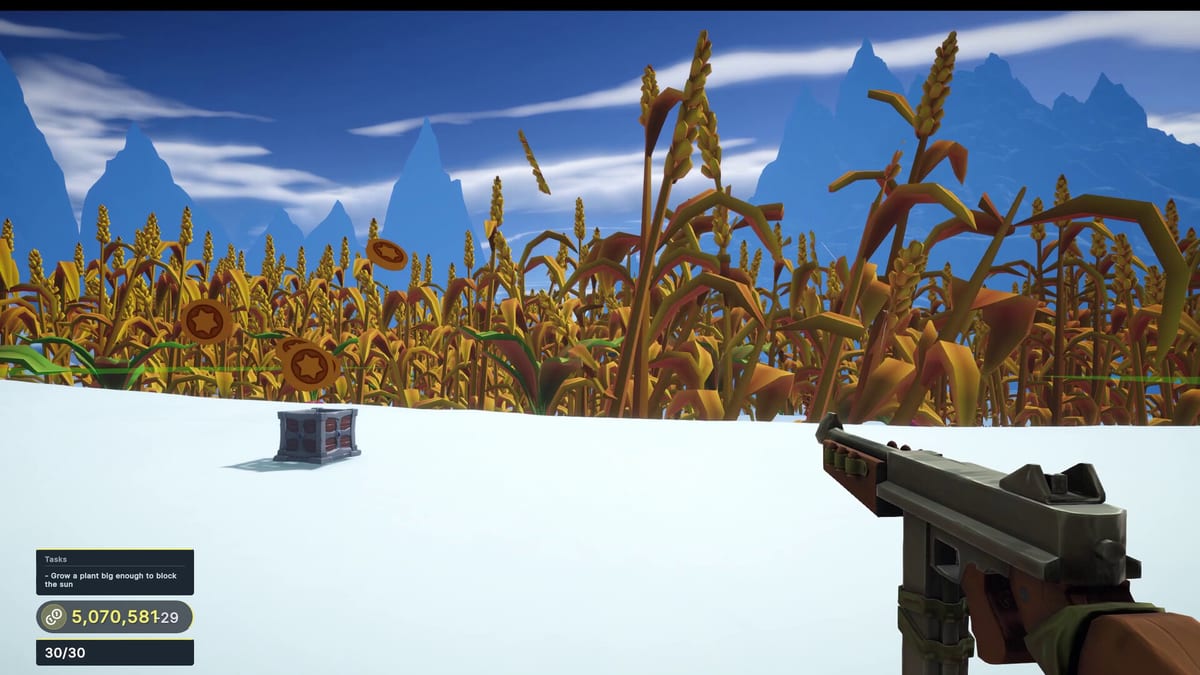
Clean inputs make Farming Incremental But With Guns feel like a looter-shooter farm sim instead of a wrestling match with the camera. This controls guide collects the publicly documented keyboard bindings from the itch.io playtest notes, Steam full controller support flags, and practical settings advice for tall-crop aiming.
Keyboard and mouse defaults
| Action | Default |
|---|---|
| Move | WASD |
| Shoot / harvest | Left mouse button |
| Jump | Space |
| Interact with upgrade stations | E |
| Open main menu / pause | ESC |
These bindings match the developer published playtest documentation. Always verify inside your build options menu after a patch—see Launch Notes.
Controller support
Steam lists Farming Incremental But With Guns with full controller support, DualShock, and DualSense. Expect a standard FPS layout: left stick move, right stick look, triggers or face buttons for fire depending on the template Steam Input applies. Open Steam controller configurator if your pad feels inverted or under-sensitive on tall vertical targets.
Couch play works well because sessions are short loops of plant, shoot, and spend. Pair pad play with the How to Play checklist so you still visit stations on schedule.
Aiming at gigantic crops
Late crops fill huge portions of the screen. Lower horizontal sensitivity slightly and raise vertical comfort so you can track tops without spinning past stems. If you overshoot, reduce mouse DPI or in-game look speed rather than fighting recoil that may not exist—this is incremental target practice more than tactical FPS.
When fields densify, strafe in figure-eights between rows. Jumping helps peek over mid-size plants, but constant jumping can make station approaches sloppy. Practice a calm walk into E range after each avalanche.
Menu and quality-of-life settings
Use ESC to fix brightness for winter biomes (snow glare) versus desert heat haze. Cap FPS if your laptop fans spike during coin particle storms—see System Requirements for the GTX 1650-class baseline and 8 GB RAM note.
Disable desktop overlays that steal clicks from the Steam overlay if interact prompts fail. If tasks feel buggy (a Steam forum topic), restart the session after major purchases and keep cloud saves enabled.
Accessibility-minded tips
- Increase UI scale if readable fonts are available in your build.
- Prefer larger crosshairs or contrast options when shooting pale winter crops.
- Remap interact away from adjacent movement keys if you fat-finger E while strafing.
Linking controls to progression
Controls mastery is wasted without economy mastery. After you can fluidly shoot and station-hop, follow Upgrade Stations and the Early Game Build. Biome lighting changes in the Biome Walkthrough may force sensitivity tweaks again.
Common control mistakes
- Forgetting E exists and walking circles around stations.
- Maxing sensitivity for fast FPS then missing high-value crop crowns.
- Playing exclusively on keyboard then switching to pad mid-Act without recalibrating.
- Leaving Steam Input disabled for exotic controllers.
Practice drill (five minutes)
- Plant a small field in the meadows.
- Strafe while destroying only low-value crops for aim warm-up.
- Approach the station without shooting, press interact, buy one damage node.
- Repeat with medium crops.
- Pause with ESC and confirm bindings.
Then jump into How to Grow Giant Crops or Crops and Items to learn which silhouettes deserve priority fire.
Cross-links
For hardware readiness, read System Requirements. For whether the game fits your tastes, see the Review. Store pages and the demo sit on Official Links. Keep the Guides Hub handy for the full tutorial list.
Sensitivity clinics that stick
Pick a target crop at medium range. Strafe left and right while tracking the center mass. If you constantly overshoot, lower look speed a notch. If you feel like you are dragging a sled, raise it slightly. Repeat after you unlock winter snow glare because contrast changes aim confidence.
Controller players should confirm aim options if present, then bind interact to a comfortable face button so upgrade station visits never break flow. Keyboard players should keep E muscle memory strong—stations are where builds actually happen, as explained in Upgrade Stations.
Frequently Asked Questions
Quick answers to the most common questions.
What is the interact key for upgrades?
On keyboard, press E near upgrade stations. Controllers use the face-button interact prompt shown on screen.
Does the game support PlayStation controllers?
Steam lists DualShock and DualSense support with full controller support overall.
Can I rebind keys?
Check the in-game options via ESC after launch; Steam Input can also remap gamepads.
Why can I not buy upgrades?
Get closer and face the station, then press interact. Confirm you have enough coins from shooting crops.