Farming Incremental But With Guns Steam Deck and Handheld Notes
What we know at launch—and how to make couch sessions comfortable.
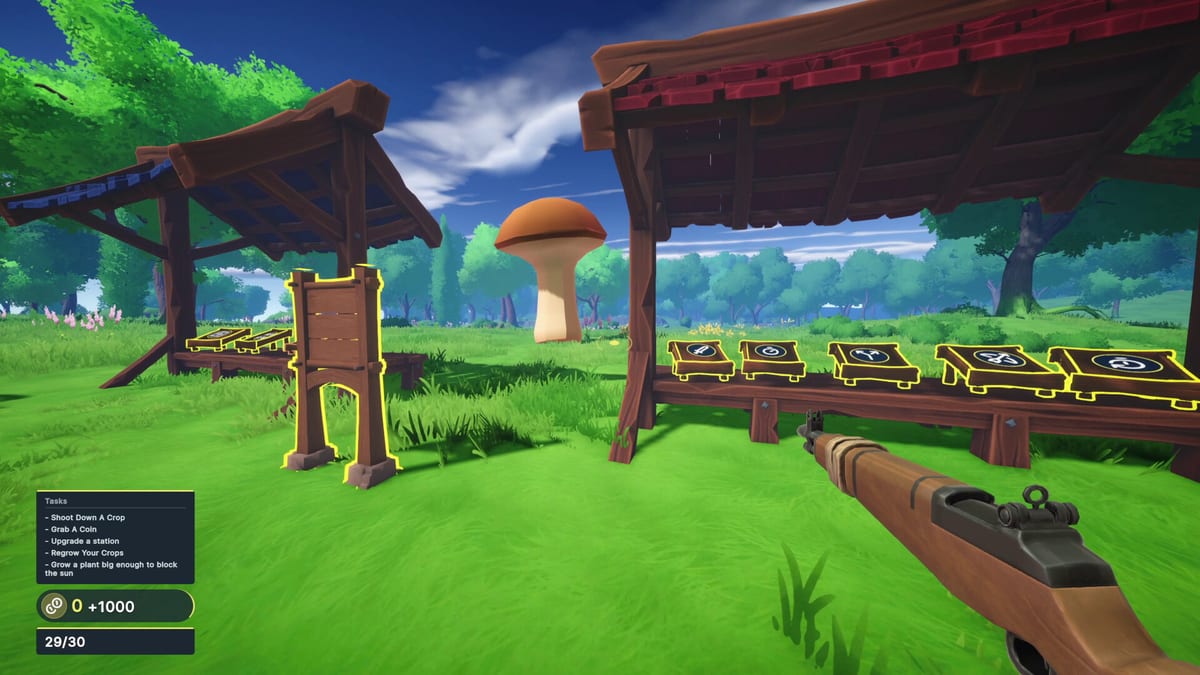
Farming Incremental But With Guns shipped on Windows Steam with full controller support, so handheld curiosity is natural. These Steam Deck notes separate verified store facts from practical expectations while Deck compatibility was still listed as unknown around launch.
Official status snapshot
At launch, third-party aggregators still showed Steam Deck compatibility as unknown even though DualShock/DualSense and full controller support appeared on the store. That means:
- Do not promise Verified performance.
- Do expect controller-first play to be intended.
- Re-check Steam’s Deck badge on the live app page via Official Links.
Why the game is a handheld candidate anyway
- Single-player only—no lobby pressure.
- Short active sessions fit a commute (Session Planner.
- Station interaction maps cleanly to a face button (Controls.
- The fantasy is readable at couch distance: big crops, louder coins.
Recommended Deck-oriented settings mindset
Without publishing fake benchmarks:
- Start on a balanced TDP profile and lower if fans scream during coin storms.
- Cap FPS to a stable number before chasing ultra effects.
- Increase UI/HUD scale if station prompts are hard to read.
- Bind interact on a comfortable bumper/face button.
- Keep a mouse sensitivity equivalent that does not overshoot medium crops.
If frame times hitch when giants collapse, drop shadows/particles first—coin avalanches are the stress test noted on System Requirements.
Control expectations on a pad
Treat the game like a cozy FPS incremental:
- Right stick aim across towering targets.
- Trigger for harvest fire.
- Face button for upgrade stations.
- Pause freely—Cloud saves matter when you snap the Deck closed mid-field.
Revisit sensitivity after winter snow glare; contrast changes aim confidence.
Performance risk factors
- Enchanted dense fields (Crop Enchants.
- Desert plus particle storms.
- Recording overlays while shooting.
- Installing on slow SD cards—prefer internal SSD when possible.
Gameplay route for Deck evenings
Handheld nights should stay short:
- One biome clear using Biome Walkthrough readiness.
- Two station visits with Upgrade Checklist.
- Stop before tilt—resume tomorrow with Coin Farming or Completion Route.
Buying advice if you mainly play Deck
If the demo runs acceptably on your Deck, the fantasy likely translates. If the demo stutters hard in coin storms, wait for a community Proton report or a Verified badge before spending. The Demo Guide and Review help decide.
What this page will update later
When Steam publishes a formal Deck rating or players converge on stable profiles, we will add those facts here and mention them in Launch Notes. Until then, treat everything as controller-ready Windows software that may run well on Deck—not a guarantee.
Related reading
- Controls
- System Requirements
- Troubleshooting
- Intro Offer Notes for discount timing
Handheld farming with guns should feel like snackable chaos—not a thermals competition.
Proton and community reports
Because Deck verification lagged at launch, rely on fresh community Proton notes rather than year-old threads about unrelated farming games. When you read a report, check the build date, whether it was demo or full, and whether the author measured coin-storm hitches. Anecdotes that only test the menu are useless.
Docked versus handheld
Docked play with a monitor may change aim feel. Re-run a sensitivity clinic after docking. Handheld mode wants larger UI and slightly slower look speed for thumbs. Neither mode changes upgrade order—Upgrade Priority still rules.
Battery expectations
Active FPS incrementals drain faster than pure idle games. Plan forty-minute templates from the Session Planner so you are not mid-Act when the battery warning hits. Carry a charger for desert nights; particle storms plus high brightness are hungry.
Accessibility on a small screen
Increase text size where possible and use high-contrast HUD options if the build offers them. Giant crops already help readability; pale winter snow may not. If prompts are hard to read, dock briefly to configure binds, then return to handheld. Comfort beats purity.
When in doubt, demo first, buy second, Act third.
Frequently Asked Questions
Quick answers to the most common questions.
Is the game Steam Deck Verified?
At launch it was still effectively unknown—check the live Steam badge before buying for Deck-only use.
Does full controller support help on Deck?
Yes. Steam lists full controller support including DualShock/DualSense families.
What settings should I touch first?
Stable frame cap, readable UI, comfortable interact bind, then lower particles if coin storms hitch.
Should I demo on Deck first?
Yes when the demo is available—see the [Demo Guide](/guides/demo-guide/).