Farming Incremental But With Guns Troubleshooting Soft Locks and Bugs
Fix stalled farms, weird tasks, and launch-week friction without rage-quitting.
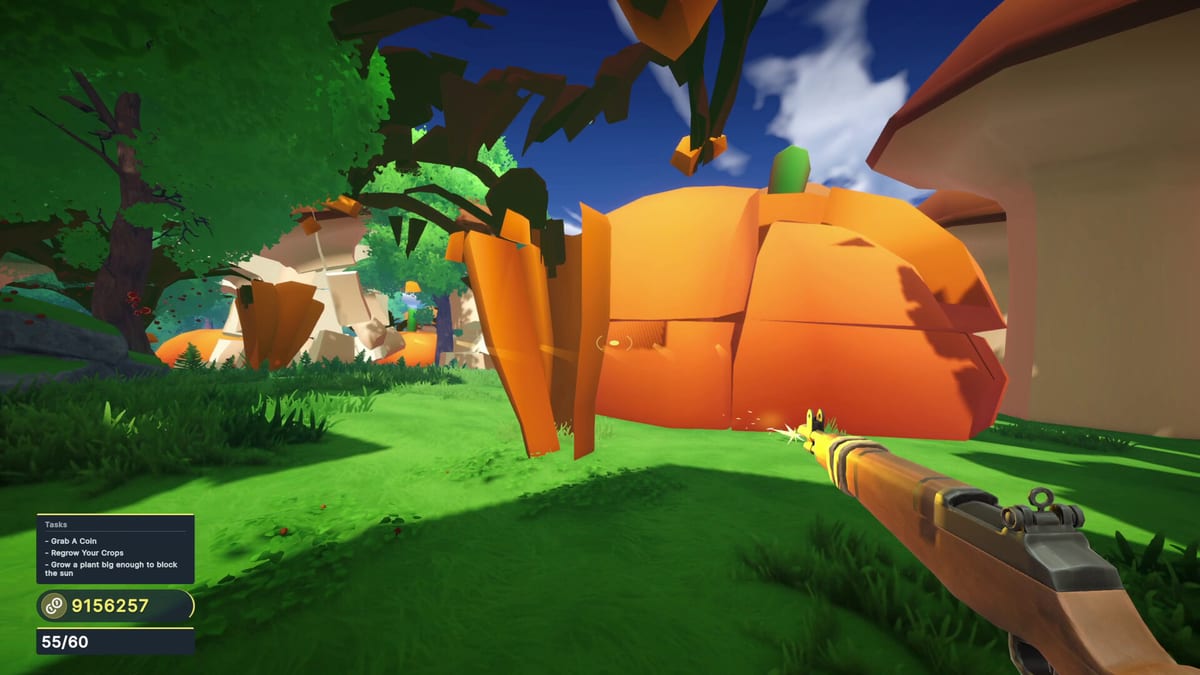
When Farming Incremental But With Guns misbehaves, players usually hit one of five buckets: economy soft locks, task confusion, visual glitches, input frustration, or performance dips. This troubleshooting guide separates “I bought badly” from “the build hiccuped.”
Soft lock: I cannot afford anything useful
Symptoms: medium crops take forever, fields stay empty, biomes feel gated.
Fixes:
- Stop equal-leveling every node.
- Buy damage or growth using Upgrade Priority.
- Follow a clean cart from the Early Game Build or Late Game Build.
- Run an income night with Coin Farming.
If you traveled early, return to a safer biome using the Biome Walkthrough readiness checks.
Soft lock: giants will not die
You enchanted before your gun caught up. Temporarily favor arsenal nodes from Arsenal Focus and reread Crop Enchants. Giants should feel loud, not immortal.
Tasks feel buggy or stuck
Steam discussions mentioned task weirdness around playtests and launch. Practical recovery:
- Finish your current field clear.
- Visit a station and buy one meaningful node.
- Fully restart the game client.
- Verify Steam Cloud finished syncing.
- If a task still refuses progress, note your biome and last purchase, then contact the developer email on Official Links.
Do not wipe saves as a first step.
Crop mesh or texture quirks
Older itch/playtest notes mentioned texturing or model problems when some crops are shot down. If a corpse mesh looks broken but coins still drop, continue. If interaction breaks:
- Look away and shoot another crop.
- Restart the session.
- Lower some effects if GPU hitching coincides with the glitch (System Requirements).
Controls feel wrong
- Re-check mouse/controller sensitivity (Controls.
- Confirm the game actually sees your pad (Steam Input).
- Rebind interact if station visits feel awkward.
- On laptop trackpads, use a mouse—this fantasy wants aim.
Performance dips during coin storms
Coin avalanches and giant collapses are the stress test. Close heavy overlays, update GPU drivers, drop resolution temporarily, and install on SSD if you can. Steam Deck verification was still unsettled at launch—see Steam Deck Notes.
Progress anxiety and “how long is this?”
Length varies by whether you chase Acts only or full achievement completion. Use the Session Planner for forty-minute blocks. Completion order lives on Completion Route.
Demo-only confusion
If a feature is missing, you might still be in the demo. Compare scope in the Demo Guide and buy the full app 4651120 when ready.
Visual baseline while you debug
The mid-article video is a healthy grow-and-upgrade baseline. If your farm never resembles that pacing after hours, you are likely under-spending on damage/growth rather than hitting a unique secret bug.
Prevention checklist
- Tick the Upgrade Checklist every shop visit.
- Keep Cloud saves enabled.
- Read Launch Notes after patches.
- Avoid random “free key” sites—install only via Official Links.
When to ask for help
Gather: GPU, whether demo or full, biome, last upgrades bought, and whether achievements are progressing. Send that to the developer contact on Steam. This wiki is unofficial and cannot patch your client.
Troubleshooting is mostly discipline plus a calm restart—then get back to shooting salad.
Verify install integrity before superstition
If nothing responds—stations dead, shooting weird, menus blank—run Steam verify integrity once. Do that after shopping fixes and client restarts, not before. Integrity checks will not repair a bad upgrade cart, but they will catch a broken download after a spotty Wi-Fi night.
Distinguish lag from logic
Input lag during coin storms feels like a gameplay bug. Cap frames, close overlays, then retest the same field. If timing improves, you fixed performance, not progression. If timing is fine but prices still gate you, return to economy soft-lock steps and Coin Farming.
Language and UI confusion
The game ships with multiple languages. If a prompt looks like gibberish or the wrong tongue, check Steam launch options and in-game language before assuming a task broke. Then continue with Controls to confirm binds survived the switch.
Frequently Asked Questions
Quick answers to the most common questions.
My upgrades do nothing. Soft lock?
Usually yes—reset shopping with [Upgrade Priority](/tier-list/upgrade-priority/) and focus damage or growth.
A crop exploded weirdly. Is my save dead?
Usually not. Restart the session if interaction breaks; mesh quirks were noted in early builds.
Tasks will not complete.
Clear, buy one node, restart client, verify Cloud. Contact the developer if it persists.
Should I reinstall first?
No. Fix shopping and restart first; reinstall only after basic recovery fails.